
The Union Public Service Commission (UPSC) officially released the Civil Services (Preliminary) Examination 2026 e-Admit Cards on May 15, 2026, Aspirants scheduled to appear for the exam on May 24, 2026 (Sunday) can now download their hall tickets from the official UPSC portals.
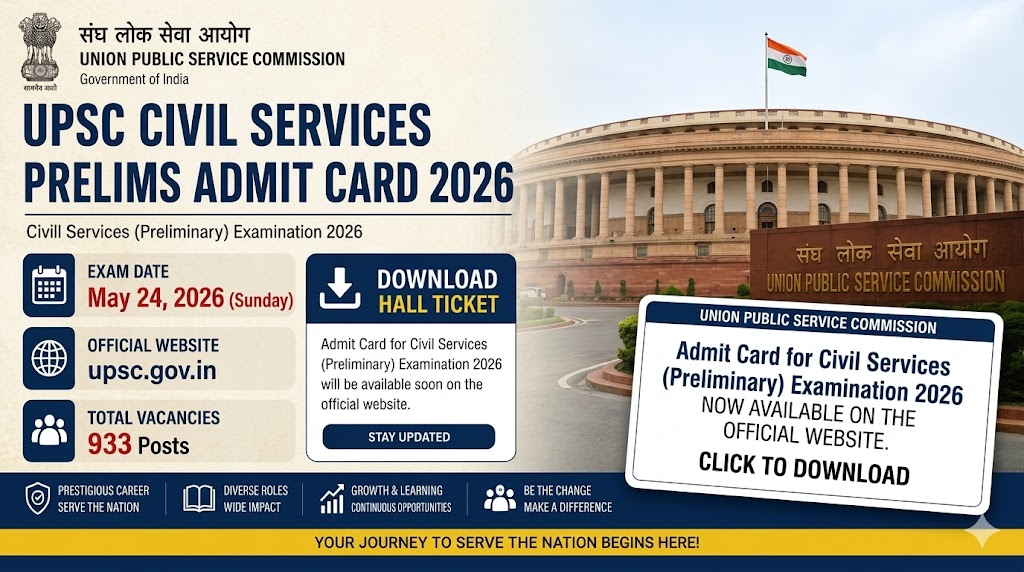
| Organization Name | Union Public Service Commission (UPSC) |
| Name of Exam | Civil Services (Preliminary) Examination 2026 |
| No. of Vacancies | 933 Posts |
| Admit Card Released Date | 15.05.2026 |
| Date of Exam | 24 May 2026 |
| Category | Admit Card/ Hall Ticket |
| Official Website | upsc.gov.in I upsconline.nic.in |
Important Dates – UPSC Prelims 2026
| Event | Date |
| Released Notification Date | 04.02.2026 |
| Online Application Last Date | 27.02.2026 |
| Application Correction Window | 28 February 2026 to 03 March 2026 |
| UPSC CSE Prelims Exam Date | 24 May 2026 |
| Release Admit Card Date | 15.05.2026 |
Exam Schedule & Pattern – UPSC Prelims 2026
The preliminary examination will be conducted in an offline, OMR-based format across two mandatory shifts on May 24, 2026
| Paper | Subject | Time | Questions / Marks | Remarks |
| Paper I | General Studies (GS I) | 09:30 AM – 11:30 AM | 100 Qs / 200 Marks | Merit Ranking |
| Paper II | CSAT (GS II) | 02:30 PM – 04:30 PM | 80 Qs / 200 Marks | Qualifying (Min. 33% required) |
Note: A negative marking of 1/3rd of the marks assigned to that question applies to every incorrect response in both papers.
Selection Process – UPSC Prelims 2026
The Selection Process for UPSC Civil Servant has given bellow all stages.
- Stage 1 – Preliminary Examination: Objective type written test (serving as a screening test).
- Stage 2 – Main Examination: Descriptive type written test for candidates who clear the Prelims.
- Stage 3 – Interview/ Personality Test: Face-to-face evaluation for Mains-qualified candidates.
- Stage 4 – Document Verification & Medical Examination: Final verification and health check-up before the merit list.
Active Other Jobs..!!
How to Download Hall Ticket?
Process of Step-by-Step Guide to Download Hall Ticket
- Go to the official UPSC website (upsc.gov.in or upsconline.nic.in).
- Locate the “What’s New” or “Admit Cards” section on the homepage.
- Click on the link: “e-Admit Card: Civil Services (Preliminary) Examination, 2026”.
-
Read the detailed exam instructions carefully and click ‘Yes’ to proceed.
-
Choose your login method: Registration ID (RID) or Roll Number.
-
Enter your credentials along with your Date of Birth and the Captcha Code displayed on screen.Click
-
Submit. Your UPSC Prelims Admit Card PDF will appear on the screen.
-
Download the PDF and take 2–3 clear printouts on clean white A4 paper.
Important Links
| Official Website | Click Here |
| Download Admit Card | Click Here |
| Best Useful Android Apps by Google | |
| Download Google Gemini Android App | Click Here |
| Read Along by Google Android App | Click Here |
| Download Google Maps App | Click Here |
| Google News Android App | Click Here |
Important Guideline Day-Exam for GPSC Prelim 2026
- Mandatory Documents: You must carry a clean printed copy of your e-Admit Card along with the original Photo ID Proof (Aadhaar Card, Voter ID, PAN Card, Passport, or Driving License) whose number is mentioned on the hall ticket.
- Reporting Time: Arrive at the exam center at least 45 to 60 minutes early. Entry gates strictly close 30 minutes before the start of each session (i.e., exactly at 09:00 AM for Shift 1 and 02:00 PM for Shift 2).
- Stationery: Bring a Black Ballpoint Pen to fill out the OMR answer sheets. Marks made with other colors or pencils will not be evaluated.
- Prohibited Items: No electronic devices, smartwatches, calculators, mobile phones, or Bluetooth equipment are permitted inside the premises, even if switched off.
